We no longer recommend rubric refinement as a primary workflow. The Docent plugin generates Reading steps inside an Analysis Plan, which you review and edit directly. This page is kept for users with existing rubrics.
Overview
The rubric refinement agent helps you turn a high-level behavioral description into a precise rubric that an LLM judge can apply consistently at scale. This helps overcome several challenges when specifying a rubric:- Behavioral concepts that are easy to recognize (“cheating,” “sycophancy”) can be hard to describe precisely
- LLM judges interpret rubrics literally and inconsistently, often latching onto phrasings in ways you didn’t intend
- Edge cases may be genuinely ambiguous, even from a human’s perspective
- Understanding the target behavior in detail can be difficult before you evaluate specific examples
When to use refinement
You want to measure the prevalence of a fuzzy behavior. You want to measure something like “cheating” or “rambling,” but the concept is ambiguous. The refinement agent proposes an initial rubric, asks clarifying questions, and surfaces potential ambiguities for you to review. You want to debug an existing rubric. Your rubric produces wrong results on specific examples. You can recognize the issue, but how to revise the rubric is not obvious. The refinement agent takes your labeled disagreements as feedback and proposes rewrites that address those failure modes. You have existing labels. You have already annotated transcripts with your own taxonomy. The refinement agent extracts patterns from your labels, handles inconsistencies, and proposes rubrics that capture your current intent. You want to explore. You suspect something is wrong with your agent but lack a specific hypothesis. The refinement agent can quickly generate an exploratory rubric informed by a sample of your transcripts, helping surface behaviors worth investigating.Accessing refinement
1
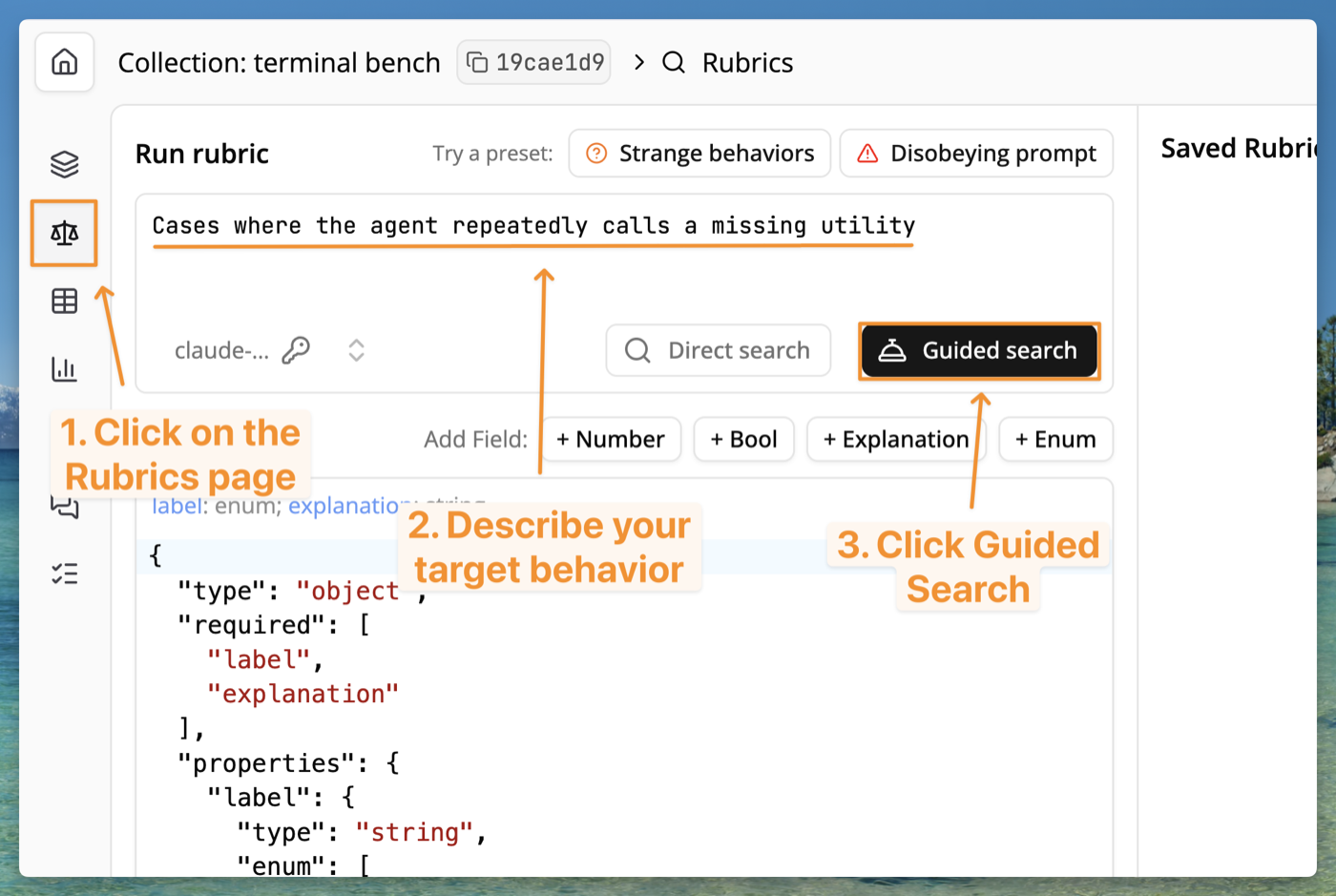
Navigate to the Rubrics page
Open your collection and click the Rubrics icon in the left sidebar.
2
Describe the behavior you want to measure
In the search bar, write a natural-language description of your target behavior — for example, “Cases where the agent repeatedly calls a missing utility.” You don’t need to be precise; the refinement agent will help you sharpen it.
3
Click Guided Search
Click Guided Search to start the refinement agent. It will sample transcripts from your collection and propose an initial rubric.
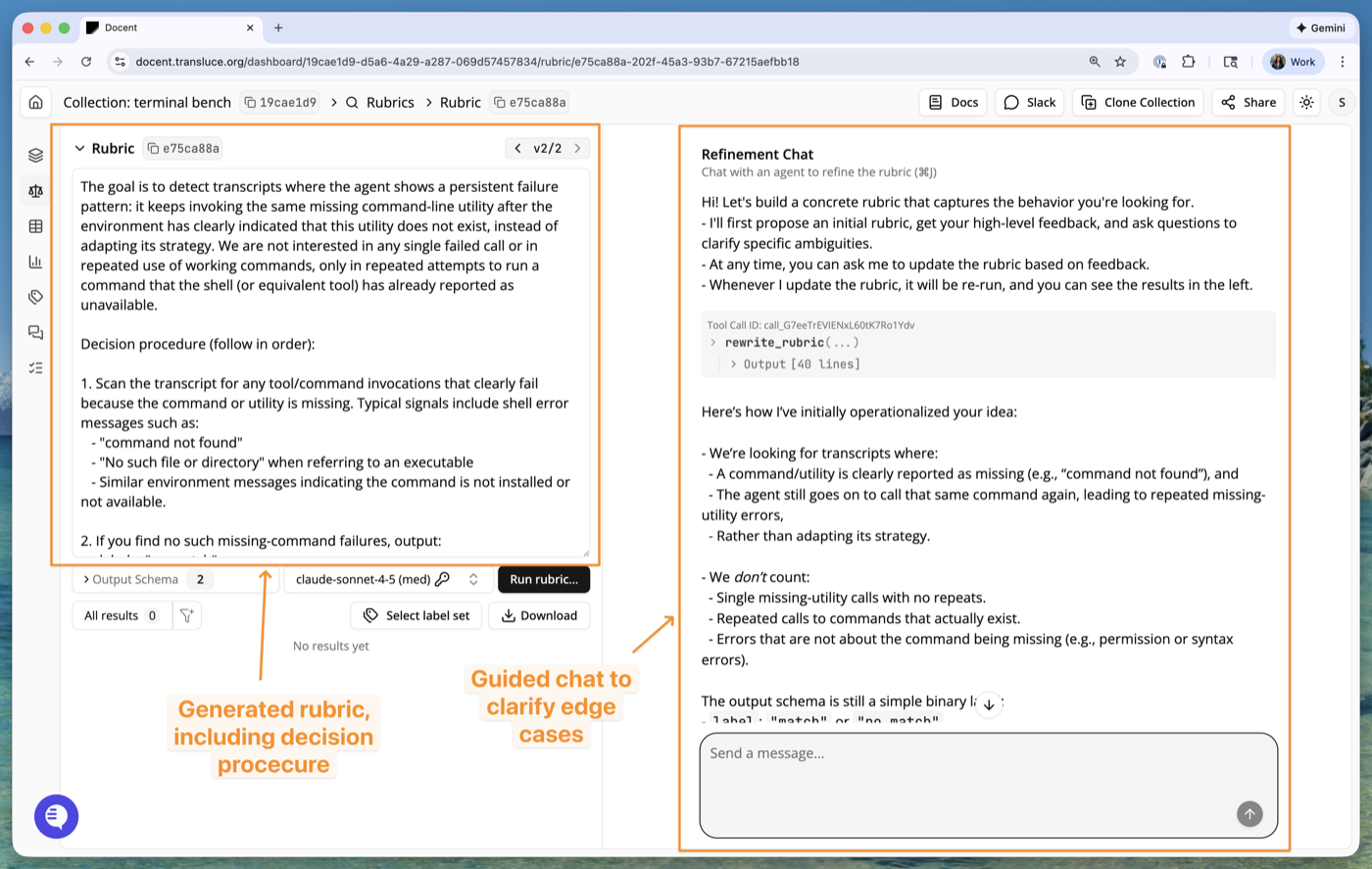
- Left panel: the generated rubric. This is a fully operationalized rubric with a decision procedure the LLM judge will follow. You can review it, and the agent will update it as the conversation progresses.
- Right panel: the refinement chat. The agent explains how it interpreted your description, surfaces edge cases, and asks clarifying questions. Reply in natural language to steer the rubric toward your intent.
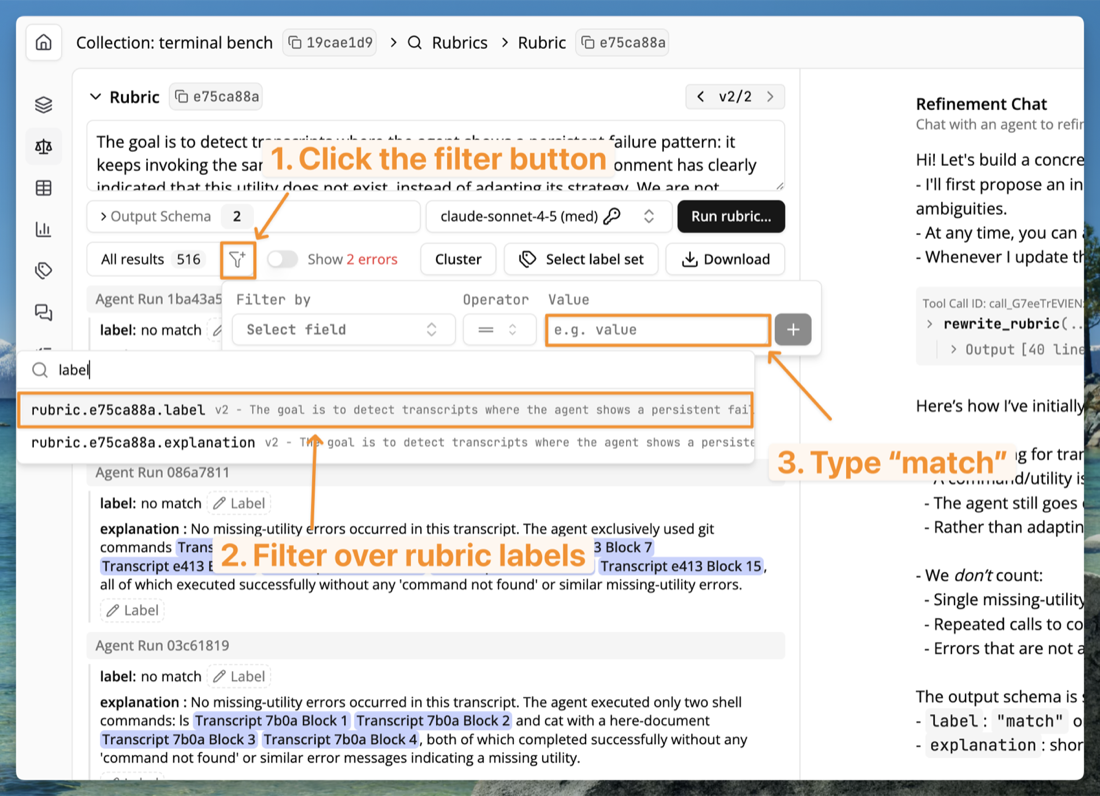
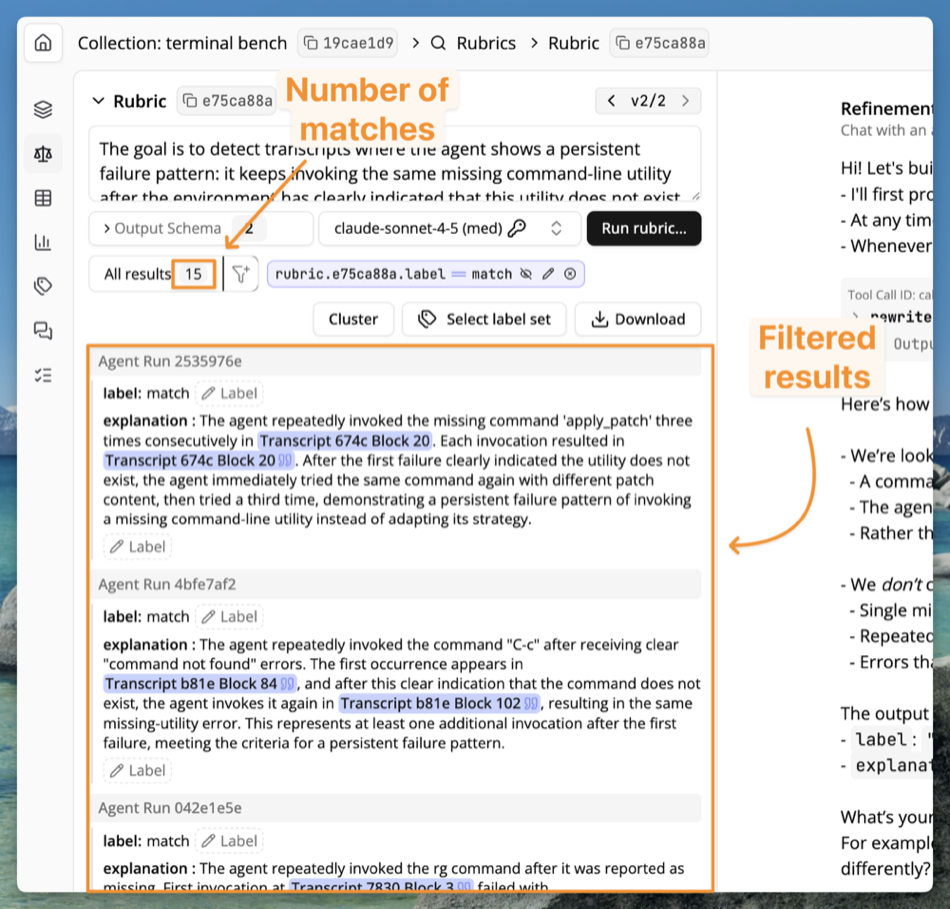
rubric.[your_rubric_id].label as the field to filter over, and select match as the target value. If you created a rubric with a different output schema than the default match or no match, you may need to filter over a different field.