Agentically conduct analysis on Docent using Claude Code and Cursor. Docent now integrates with agent harnesses to turn natural language commands into SDK scripts you can modify and rerun.

Use Cases

Coding agents can flexibly automate multi-step manual workflows and conduct investigations in parallel. Try:
  • Comparing between checkpoints. Suppose you want to answer questions like “What caused a regression between checkpoint A and checkpoint B?” or “These two checkpoints show a quantitative tradeoff on eval scores. What behaviors might explain that?” Prompting the agent to compare pairs of successful and failed runs helps identify changes between multiple versions of a model. See a detailed tutorial below.
  • Triaging before deep analysis: Improve cost-efficiency by focusing your expensive classifier runs. Prompt your agent to:
    1. Do a first pass with a cheap model for tagging possible issues (“sycophancy,” “copyright,” “biorisk,” etc), conservatively including potential false positives
    2. Then use a more expensive model with detailed, issue-specific rubrics over only the relevant parts of the collection. Assign a detailed sycophancy classifier to run over the transcripts tagged “sycophancy” and a copyright classifier to run over the transcripts tagged “copyright.”
  • Managing long context: Flexibly control context when analyzing collections with long traces or many transcripts. To summarize failures across a large collection, your agent can batch transcripts, extract key observations from each batch, and then clustering and observe patterns from the batched observations. Recursively passing the results from previous analyses improves your agent’s ability to handle collection-level queries at scale.
Your coding agent saves scripts to your local directory. You can modify and rerun scripts for fine-grained control of the workflow.

Quickstart

You can skip this section if you’ve installed our Claude Code plugin. We strongly recommend installing our Claude Code plugin so that you receive automatic updates.
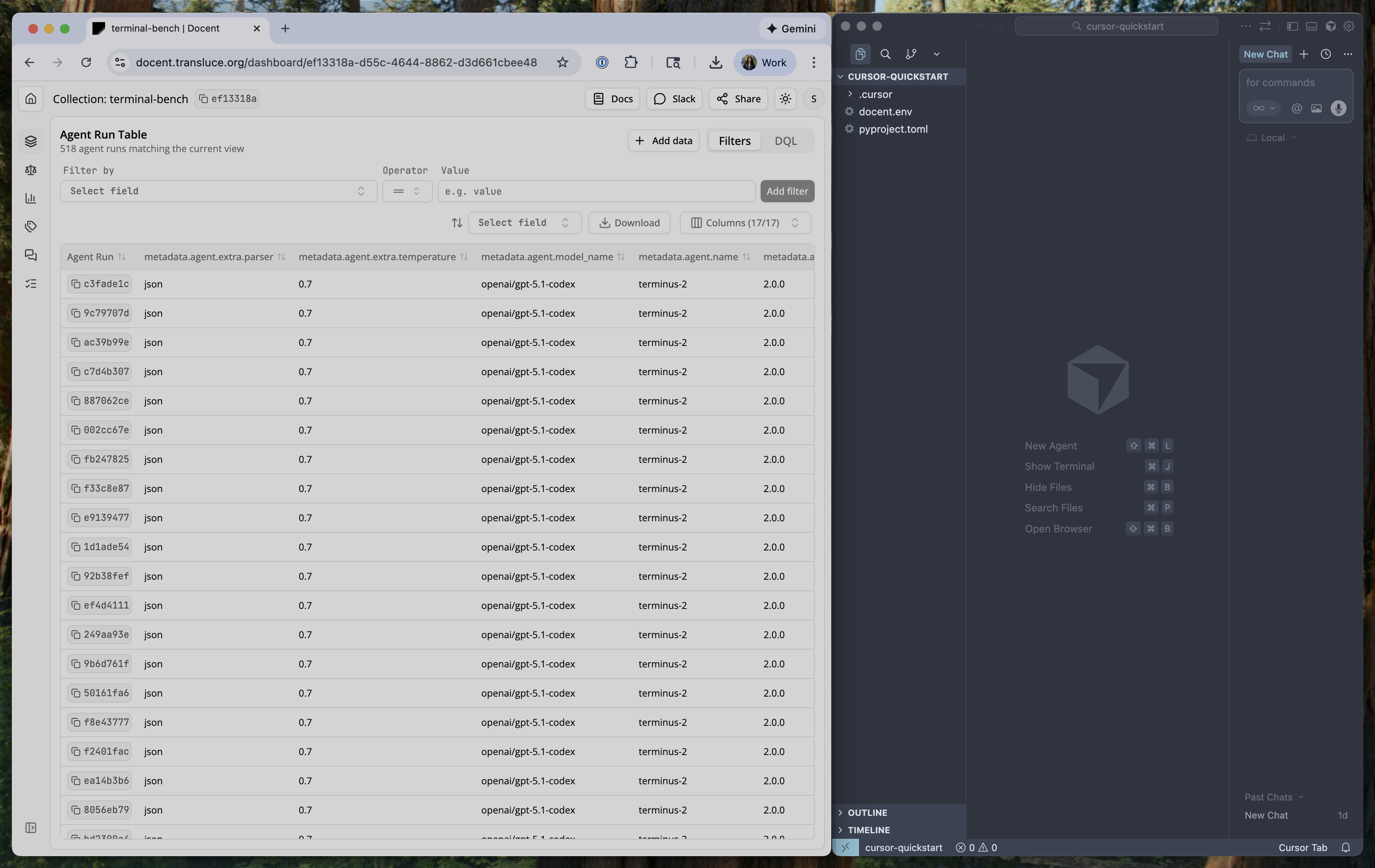
AI coding agents can use the Docent SDK to analyze agent runs. You can use Docent in its own Cursor Workspace by quickly downloading our template, or you can integrate Docent into an existing workspace. In either case, you’ll need to have uv installed.

Step 1: Download and open the template for your preferred IDE

Make sure to open the template in its own window in your IDE so that configuration files are recognized.The template directory contains:
  • pyproject.toml: a minimal Python project configuration listing docent-python as a dependency.
  • docent.env: contains configurable environment variables. You’ll need to set DOCENT_API_KEY and DOCENT_COLLECTION_ID
  • .cursor/rules/docent.md or AGENTS.md: instructions for how the agent should use Docent.
  • .cursor/mcp.json or .vscode/mcp.json: configuration for the Docent MCP server, which provides tools to let your agent interact with Docent.
The .cursor/ or .vscode/ directory is often hidden in your file explorer.
Open template in Cursor

Step 2: Fill in DOCENT_API_KEY and DOCENT_COLLECTION_ID in docent.env

  1. You can generate a Docent API key at this link or navigate there from the Dashboard by clicking on Settings → API Keys.
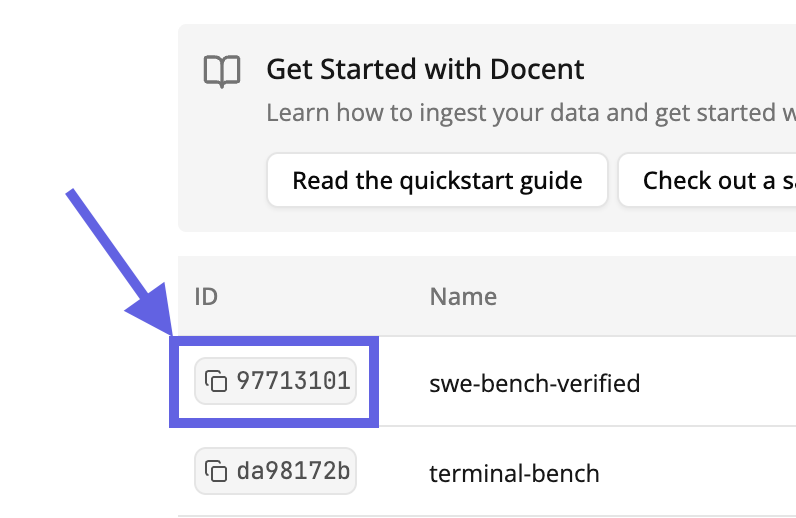
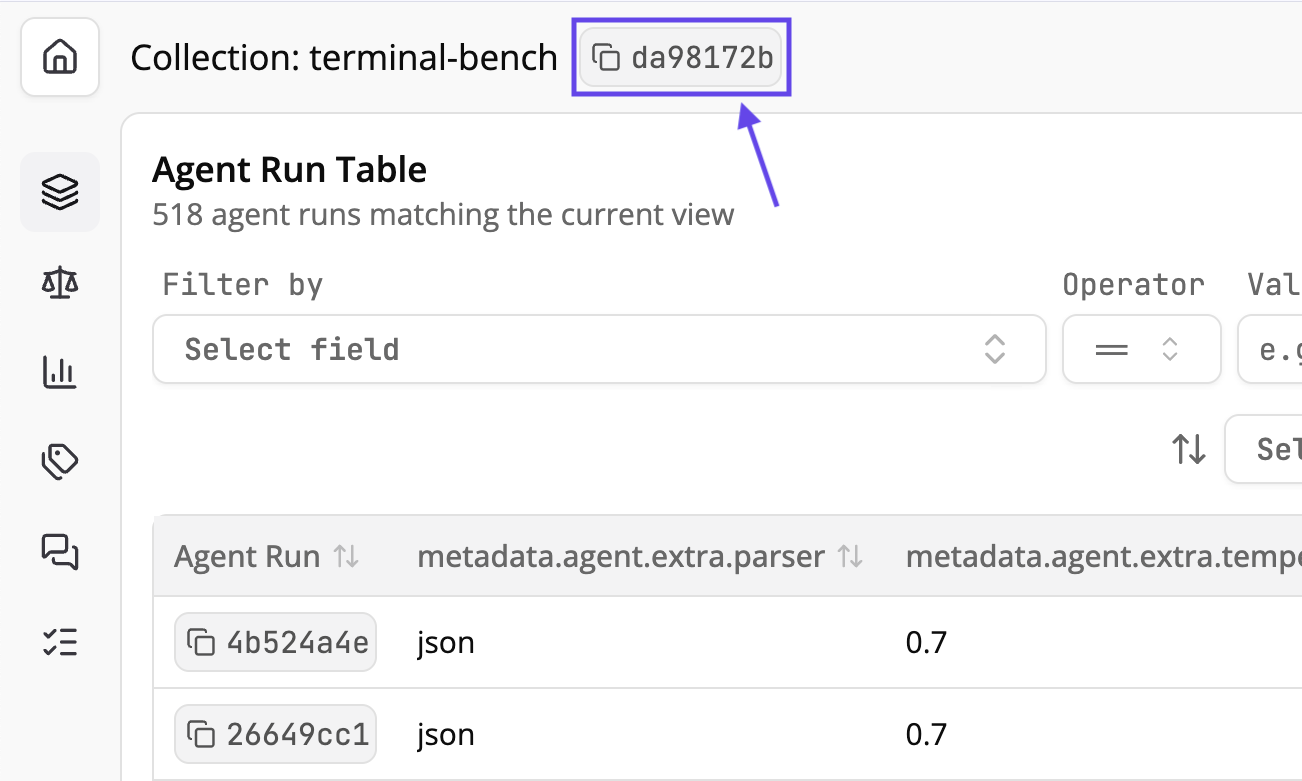
  2. The DOCENT_COLLECTION_ID is the UUID of the collection you want to analyze. You can find it in two places:
Click the ID next to any collection in the Docent Dashboard to copy it.
Copy collection ID from dashboard
When viewing a collection, the ID appears in the header next to the collection name.
Collection ID in header

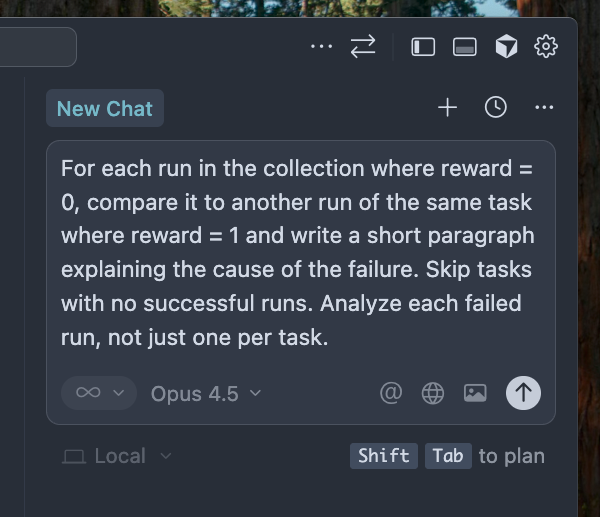
Step 3: Prompt the agent

For best results, describe your target workflow as precisely as possible.
Prompt the agent

Using Docent to Compare Between Checkpoints

Suppose we have two agents and we want to qualitatively understand why one is failing more often on a set of tasks. There are a few ways to approach this question. One is to summarize the cause of each individual failure, then look for high-level differences between the two agents. If we wanted to do this with Docent, we might first prompt our coding agent:
For each run in the collection where reward = 0, compare it to another run of the same task where reward = 1 and write a short paragraph explaining the cause of the failure. Skip tasks with no successful runs. Analyze each failed run, not just one per task.
After checking the structure of the relevant metadata, the agent might write something like this:
from docent.sdk.client import Docent
from docent.sdk.llm_request import LLMRequest
from docent.sdk.llm_context import Prompt, AgentRunRef

client = Docent()
collection_id = "d4557fa9-c65a-4ee3-9c94-4241e5e0e7e9"

query = """
SELECT task, reward, agent_run_id
FROM (
    SELECT
        metadata_json->>'task' AS task,
        CAST(metadata_json->'scores'->>'reward' AS DOUBLE PRECISION) AS reward,
        id AS agent_run_id
    FROM agent_runs
    WHERE metadata_json ? 'task'
      AND metadata_json->'scores' ? 'reward'
) AS subq
ORDER BY task, reward
"""

result = client.execute_dql(collection_id, query)
rows = client.dql_result_to_dicts(result)

tasks = {}
for row in rows:
    task = row["task"]
    reward = row["reward"]
    run_id = row["agent_run_id"]
    if task not in tasks:
        tasks[task] = {"successful": [], "failed": []}
    if reward == 1:
        tasks[task]["successful"].append(run_id)
    elif reward == 0:
        tasks[task]["failed"].append(run_id)

tasks_with_both = {
    task: data for task, data in tasks.items()
    if data["failed"] and data["successful"]
}

total_failed = sum(len(data["failed"]) for data in tasks_with_both.values())
print(f"Found {total_failed} failed runs across {len(tasks_with_both)} tasks (skipping tasks with no successful runs)")

PROMPT_TEMPLATE = """Task: {task}

Failed run (reward=0):
{failed_ref}

Successful run (reward=1):
{success_ref}

Compare these two runs and write a short paragraph explaining the cause of the failure in the first run. Focus on what the failed run did differently that led to its failure."""

requests = []
for task, data in tasks_with_both.items():
    success_id = data["successful"][0]
    success_ref = AgentRunRef(id=success_id, collection_id=collection_id)

    for failed_id in data["failed"]:
        failed_ref = AgentRunRef(id=failed_id, collection_id=collection_id)

        prompt = Prompt([
            f"Task: {task}\n\n",
            "Failed run (reward=0):\n",
            failed_ref,
            "\n\nSuccessful run (reward=1):\n",
            success_ref,
            "\n\nCompare these two runs and write a short paragraph explaining the cause of the failure in the first run. Focus on what the failed run did differently that led to its failure."
        ])

        requests.append(LLMRequest(
            prompt=prompt,
            metadata={"task": task, "failed_run_id": failed_id, "success_run_id": success_id}
        ))

result = client.submit_llm_requests(
    collection_id=collection_id,
    requests=requests,
    model_string="openai/gpt-5-mini",
    result_set_name="failure-analysis/summaries/v1",
    exists_ok=False
)
After sanity checking the results in the web interface, we can ask the agent to implement the second step:
Make a new script to group these results by the agent of the run being analyzed. Then look at all the results, grouped by agent, and summarize the differences in failure modes between the models
from docent.sdk.client import Docent
from docent.sdk.llm_request import LLMRequest
from docent.sdk.llm_context import Prompt, ResultRef

client = Docent()
collection_id = "d4557fa9-c65a-4ee3-9c94-4241e5e0e7e9"

df = client.get_result_set_dataframe(collection_id, "failure-analysis/summaries/v1")

failed_run_ids = df["user_metadata.failed_run_id"].tolist()

query = """
SELECT id, model_name
FROM (
    SELECT
        id,
        metadata_json->'agent'->>'model_name' AS model_name
    FROM agent_runs
) AS subq
"""

result = client.execute_dql(collection_id, query)
runs = {row["id"]: row["model_name"] for row in client.dql_result_to_dicts(result)}

results_by_model = {}
for _, row in df.iterrows():
    failed_run_id = row["user_metadata.failed_run_id"]
    model = runs.get(failed_run_id, "unknown")
    if model not in results_by_model:
        results_by_model[model] = []
    results_by_model[model].append(row["id"])

for model, result_ids in results_by_model.items():
    print(f"{model}: {len(result_ids)} results")

result_set = client.get_result_set(collection_id, "failure-analysis/v1")
result_set_id = result_set["id"]

prompt_parts = [
    "Below are failure analysis results grouped by model. Each result explains why a particular agent run failed."
]

for model, result_ids in results_by_model.items():
    prompt_parts.append(f"## Model: {model}")
    for result_id in result_ids:
        ref = ResultRef(id=result_id, result_set_id=result_set_id, collection_id=collection_id)
        prompt_parts.append(ref)

prompt_parts.append(
    "Based on these failure analyses, write a summary comparing the failure modes between the models. "
    "What types of failures are more common for each model? Are there any patterns that distinguish one model's failures from the other's? "
    "Cite the analysis results for evidence, not the original agent runs."
)

request = LLMRequest(
    prompt=Prompt(prompt_parts)
)

result = client.submit_llm_requests(
    collection_id=collection_id,
    requests=[request],
    model_string="openai/gpt-5-mini",
    result_set_name="failure-analysis/model-comparison/v1"
)

Best Practices & Future Work

  • When selecting a model for your coding agent, Claude Sonnet 4.5 is a good place to start. Smaller models often get confused about various aspects of the analysis workflow.
  • For best results, be precise when telling the coding agent what workflow you want to execute.
  • The LLM can only cite items that were directly passed as part of the prompt. It cannot, for example, cite items that were cited by a result that was passed as part of the prompt. If the LLM gets confused about this fact, mention it in your prompt. We’re working on a cleaner solution.
  • We’re currently adding functionality to analyze Docent judge results. Stay tuned!